tomatoes-2-2wvhj-jlrm Computer Vision Dataset








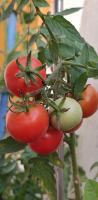

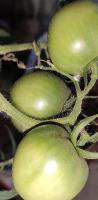
About tomatoes-2-2wvhj-jlrm Dataset
Overview
Introduction
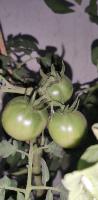
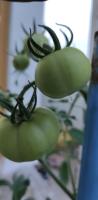
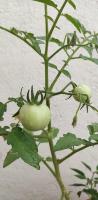
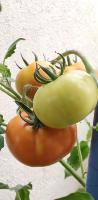
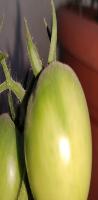
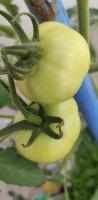
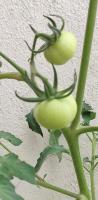
This dataset focuses on the identification and annotation of tomatoes at different ripening stages for object detection tasks. The goal is to accurately label and distinguish between green and red tomatoes.
Classes:
- Green Tomatoes: Unripe tomatoes typically not ready for consumption.
- Red Tomatoes: Ripe tomatoes ready for harvest and consumption.
Object Classes
Green Tomatoes
Description
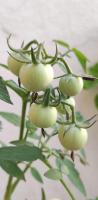
Green tomatoes are unripe and have a consistent green appearance. Their surface is typically smooth and firm, often with visible green stems and calyxes.
Instructions
- Identify and annotate each green tomato, including those that are partially occluded but can still be clearly identified by their green color and smooth surface.
- Include the entire visible area of the tomato, but do not include the stems and leaves unless they are part of the visible surface of the tomato.
- Do not label tomatoes that are turning yellow or show any significant red coloration.
Red Tomatoes
Description
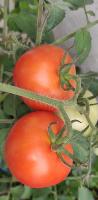
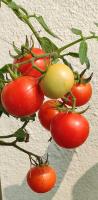
Red tomatoes are ripe, displaying a consistent red or orange-red color over most of the fruit. They are typically smooth and firm, often showing a glossy surface.
Instructions
- Identify and annotate each red tomato, considering tomatoes with red or orange-red coloration as part of this class.
- Annotate the entire visible fruit, ensuring that the bounding box encloses the round shape of the tomato but excludes stems and leaves unless they cover part of the tomato's surface.
- Do not include tomatoes that are predominantly green or just starting to blush with red. Use the dominant color as a guide for classification.
Use Free Green tomatoes and Red tomatoes Detection API
Powered by general detection model
Code
pip install inference-sdk# 1. Import the library
from inference_sdk import InferenceHTTPClient
# 2. Connect to your workspace
client = InferenceHTTPClient(
api_url="https://serverless.roboflow.com",
api_key="API_KEY"
)
# 3. Run your workflow on an image
result = client.run_workflow(
workspace_name="<YOUR_WORKSPACE>",
workflow_id="<YOUR_WORKFLOW_ID>",
images={
"image": "YOUR_IMAGE.jpg" # Path to your image file
},
parameters={
"classes": "green tomatoes, red tomatoes"
},
use_cache=True # cache workflow definition for 15 minutes
)
# 4. Get your results
print(result)Run on custom image
Drop an image here or click to upload
Detecting classes:
Or try a test image
Roboflow Agent
Tell the agent what you want to build.
Cite This Project
LicenseMITIf you use this dataset in a research paper, please cite it using the following BibTeX:
@misc{ tomatoes-2-2wvhj-jlrm_dataset,
  title = { tomatoes-2-2wvhj-jlrm Dataset },
  type = { Open Source Dataset },
  author = { Roboflow100VL Full },
  howpublished = { \url{ https://universe.roboflow.com/roboflow100vl-full/tomatoes-2-2wvhj-jlrm } },
  url = { https://universe.roboflow.com/roboflow100vl-full/tomatoes-2-2wvhj-jlrm },
  journal = { Roboflow Universe },
  publisher = { Roboflow },
  year = { 2026 },
  month = { may },
  note = { visited on 2026-07-29 },
}