spinefrxnormalvindr-lt1cn-ryhy Computer Vision Dataset








About spinefrxnormalvindr-lt1cn-ryhy Dataset
Overview
Introduction
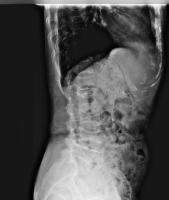
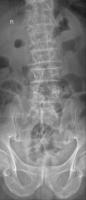
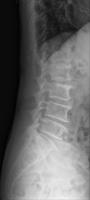
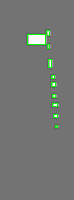
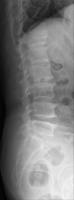
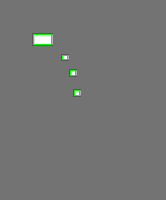
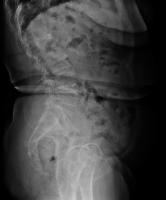
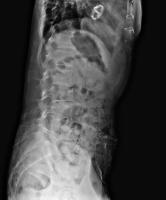
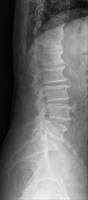
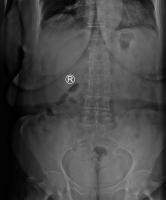
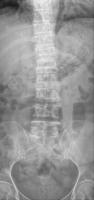
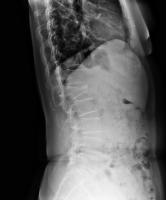
This dataset aims to identify and annotate specific spinal conditions and interventions in X-ray images for medical analysis. The classes include:
- Osteophytes: Bone spurs that form on the vertebrae.
- Surgical Implant: Medical devices placed during surgery.
- Vertebral Collapse: Compressed or fractured vertebrae.
Object Classes
Osteophytes
Description
Osteophytes, or bone spurs, appear as small, irregular protrusions on the edges of vertebrae.
Instructions
- Identify and annotate any protrusions along the vertebral edges that appear like small spikes or extra bone growths.
- Ensure the bounding box captures the full extent of the spur without including adjacent vertebrae unless directly connected by the spur.
- Do not annotate normal vertebral contours or areas without distinct protrusions.
Surgical Implant
Description
Surgical implants are visible mechanical devices, often appearing as screws or cages, used to stabilize the spine.
Instructions
- Annotate devices that have a distinct mechanical appearance, such as screws, rods, or cages within the spinal region.
- The bounding box should encompass the entire implant, including any screws or extensions that are visible.
- Do not annotate areas where the mechanical structure is not visible or indistinct.
Vertebral Collapse
Description
Vertebral collapse occurs when a vertebra appears significantly compressed or fractured, often leading to a change in shape.
Instructions
- Annotate vertebrae that show clear signs of compression or alteration in shape compared to adjacent vertebrae.
- Ensure the bounding box tightly encompasses the affected area, capturing the collapsed structure.
- If the shape of the vertebra resembles adjacent normal vertebrae, do not annotate.
Use Free Osteophytes, Surgical implant and Vertebral collapse Detection API
Powered by general detection model
Code
pip install inference-sdk# 1. Import the library
from inference_sdk import InferenceHTTPClient
# 2. Connect to your workspace
client = InferenceHTTPClient(
api_url="https://serverless.roboflow.com",
api_key="API_KEY"
)
# 3. Run your workflow on an image
result = client.run_workflow(
workspace_name="<YOUR_WORKSPACE>",
workflow_id="<YOUR_WORKFLOW_ID>",
images={
"image": "YOUR_IMAGE.jpg" # Path to your image file
},
parameters={
"classes": "Osteophytes, Surgical implant, Vertebral collapse"
},
use_cache=True # cache workflow definition for 15 minutes
)
# 4. Get your results
print(result)Run on custom image
Drop an image here or click to upload
Detecting classes:
Or try a test image
Roboflow Agent
Tell the agent what you want to build.
Cite This Project
LicenseMITIf you use this dataset in a research paper, please cite it using the following BibTeX:
@misc{ spinefrxnormalvindr-lt1cn-ryhy_dataset,
  title = { spinefrxnormalvindr-lt1cn-ryhy Dataset },
  type = { Open Source Dataset },
  author = { Roboflow 100-VL },
  howpublished = { \url{ https://universe.roboflow.com/rf100-vl/spinefrxnormalvindr-lt1cn-ryhy } },
  url = { https://universe.roboflow.com/rf100-vl/spinefrxnormalvindr-lt1cn-ryhy },
  journal = { Roboflow Universe },
  publisher = { Roboflow },
  year = { 2025 },
  month = { mar },
  note = { visited on 2026-07-29 },
}