GARBAGE CLASSIFICATION 4 Computer Vision Dataset














About GARBAGE CLASSIFICATION 4 Dataset
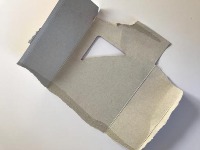
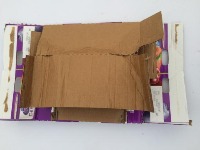
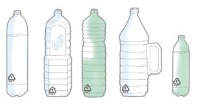
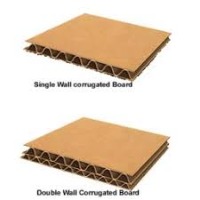
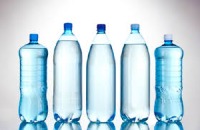
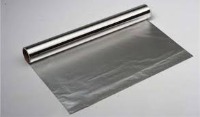
This model provides a foundational computer vision resource for identifying waste materials based on their disposal requirements. With over 10,000 images and a pre-trained object detection model, this resource categorizes refuse into seven primary streams—including biodegradable, plastic, metal, and glass—making it an essential tool for scaling sustainable waste management practices.
Ways to Use GARBAGE CLASSIFICATION 3 Model
- Automated Sorting Lines: Integrate the model into recycling facility conveyors to high-speed identify and separate cardboard, glass, and metal, improving the efficiency of recovered material processing.
- Interactive Education Kiosks: Deploy the model in schools or public centers where users can show an item to a camera and receive instant feedback on whether it belongs in the "Biodegradable" or "Plastic" bin.
- Smart Waste Collection Trucks: Implement the model on refuse vehicles to automatically analyze the composition of waste being collected, providing municipalities with data on recycling contamination rates in different neighborhoods.
- Textile Recycling Initiatives: Utilize the "Cloth" class to help specialized recycling centers sort discarded apparel from general waste, facilitating the repurposing of fabrics.
- Office Sustainability Monitoring: Use the model in smart office bins to track employee disposal habits, helping organizations meet zero-waste goals by identifying areas where further recycling education is needed.
Garbage Object-Detection to Identify Disposal Class
This dataset detects various kinds of waste, labeling with a class that indentifies how it should be disposed
Use Free PAPER, PLASTIC and METAL Detection API
Powered by general detection model
Code
pip install inference-sdk# 1. Import the library
from inference_sdk import InferenceHTTPClient
# 2. Connect to your workspace
client = InferenceHTTPClient(
api_url="https://serverless.roboflow.com",
api_key="API_KEY"
)
# 3. Run your workflow on an image
result = client.run_workflow(
workspace_name="<YOUR_WORKSPACE>",
workflow_id="<YOUR_WORKFLOW_ID>",
images={
"image": "YOUR_IMAGE.jpg" # Path to your image file
},
parameters={
"classes": "PAPER, PLASTIC, METAL, CARDBOARD"
},
use_cache=True # cache workflow definition for 15 minutes
)
# 4. Get your results
print(result)Run on custom image
Drop an image here or click to upload
Detecting classes:
Or try a test image
Roboflow Agent
Tell the agent what you want to build.
Cite This Project
LicenseCC BY 4.0If you use this dataset in a research paper, please cite it using the following BibTeX:
@misc{ garbage-classification-4-oklrj_dataset,
  title = { GARBAGE CLASSIFICATION 4 Dataset },
  type = { Open Source Dataset },
  author = { Recycling vs Waste },
  howpublished = { \url{ https://universe.roboflow.com/recycling-vs-waste/garbage-classification-4-oklrj } },
  url = { https://universe.roboflow.com/recycling-vs-waste/garbage-classification-4-oklrj },
  journal = { Roboflow Universe },
  publisher = { Roboflow },
  year = { 2026 },
  month = { mar },
  note = { visited on 2026-07-29 },
}