hamro Computer Vision Dataset









About hamro Dataset
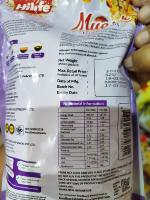
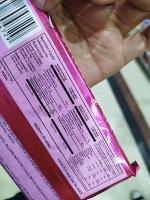
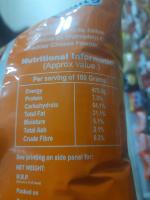
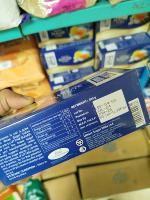
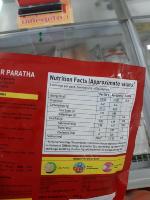
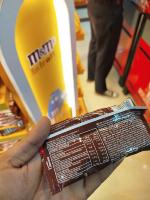
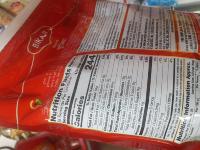
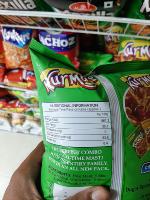
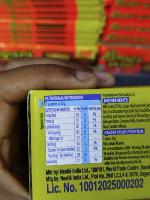
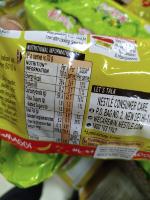
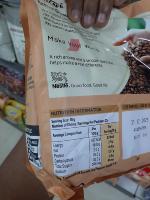
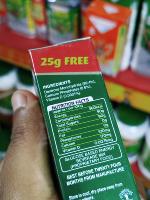
This project utilizes YOLOv8 to detect nutritional labels on a dataset of 340 annotated images managed in Roboflow, focusing on calculating the glycemic index (GI) and glycemic load (GL) of food products. The dataset, comprising diverse label formats from various food items, is annotated with bounding boxes for the "nutritional_label" class. Preprocessing steps, including auto-orient, resize (640x640), auto-adjust contrast, dynamic crop, and filter null, ensure image quality and consistency. To enhance model robustness, image-level augmentations such as rotation (±15°), brightness (±20%), exposure (±20%), noise (1-2%), blur (3x3 kernel, 10% probability), shear (±10°), and horizontal/vertical flips (50% probability) are applied, generating approximately 1,000 images for training. The trained YOLOv8 model detects label regions, which are then processed with EasyOCR to extract key nutritional data like carbohydrates, sugars, and serving size. This data enables GI calculation using a reference database and GL computation via the formula GL = (GI × Net Carbohydrates) / 100. The system aims to assist users in understanding the glycemic impact of foods for dietary planning and health monitoring. Future enhancements may include multi-class detection of specific nutrients and mobile app integration.
Use Free Nutritional-label Detection API
Powered by general detection model
pip install inference-sdk# 1. Import the library
from inference_sdk import InferenceHTTPClient
# 2. Connect to your workspace
client = InferenceHTTPClient(
api_url="https://serverless.roboflow.com",
api_key="API_KEY"
)
# 3. Run your workflow on an image
result = client.run_workflow(
workspace_name="<YOUR_WORKSPACE>",
workflow_id="<YOUR_WORKFLOW_ID>",
images={
"image": "YOUR_IMAGE.jpg" # Path to your image file
},
parameters={
"classes": "nutritional-label"
},
use_cache=True # cache workflow definition for 15 minutes
)
# 4. Get your results
print(result)Run on custom image
Drop an image here or click to upload
Tell the agent what you want to build.
Cite This Project
LicenseCC BY 4.0If you use this dataset in a research paper, please cite it using the following BibTeX:
@misc{ hamro_dataset,
  title = { hamro Dataset },
  type = { Open Source Dataset },
  author = { PlasticBottle },
  howpublished = { \url{ https://universe.roboflow.com/plasticbottle-jqvcu/hamro } },
  url = { https://universe.roboflow.com/plasticbottle-jqvcu/hamro },
  journal = { Roboflow Universe },
  publisher = { Roboflow },
  year = { 2025 },
  month = { jul },
  note = { visited on 2026-07-29 },
}