QR Code Computer Vision Dataset











About QR Code Dataset
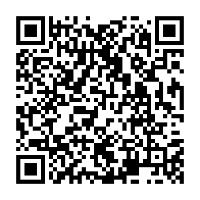
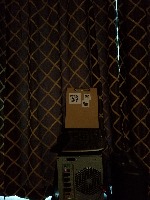
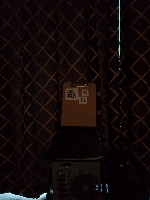
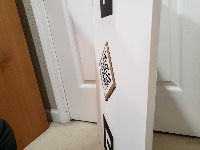
This project provides a specialized computer vision resource for the robust localization of QR codes in diverse real-world environments. Utilizing a pre-trained object detection model trained with Roboflow Train, this tool is designed to identify QR codes under variable lighting conditions and extreme camera angles, serving as a high-performance front-end for scanning and data extraction pipelines.
Ways to Use QR Code Model
- Automated Inventory Tracking: Integrate the model into warehouse mobile devices or overhead cameras to automatically locate and scan QR codes on pallet labels, streamlining stock management without requiring perfect alignment.
- Contactless Service Kiosks: Power self-service terminals in restaurants or airports that can detect a user's digital or printed QR code from a distance, initiating check-ins or order processing seamlessly.
- Augmented Reality (AR) Anchoring: Use the detection data to identify QR codes that serve as physical anchors for AR experiences, ensuring digital content overlays remain accurately positioned even when viewed from sharp angles.
- Marketing and Event Engagement: Deploy the model in smart signage or event apps to detect QR codes on posters and flyers, automatically directing users to digital content or registration pages.
- Mobile Payment Pre-processing: Enhance digital wallet applications by quickly identifying the bounding box of a merchant’s QR code, allowing the software to focus its scanning resources and process transactions faster in low-light settings.
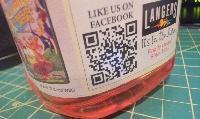
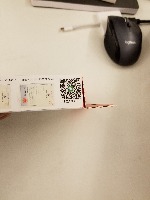
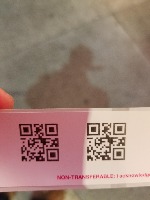
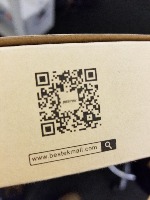
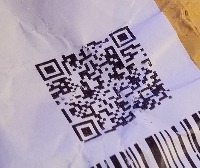
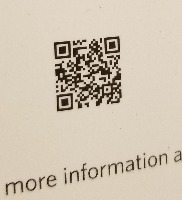
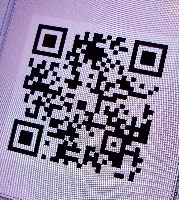
This dataset contains images taken of QR Codes in variable lighting conditions at different angles.
Trained Model with Roboflow Train
High Performance
- 99.5% mAP
- 100.0% precision
- 99.2% recall
Testing The Model
You can test this trained model by dropping an image on this page or via curl command
base64 YOUR_IMAGE.jpg | curl -d @- "https://detect.roboflow.com/qr-code-oerhe/1?api_key=YOUR_API_KEY"
Use Free QR_CODE Detection API
Powered by general detection model
pip install inference-sdk# 1. Import the library
from inference_sdk import InferenceHTTPClient
# 2. Connect to your workspace
client = InferenceHTTPClient(
api_url="https://serverless.roboflow.com",
api_key="API_KEY"
)
# 3. Run your workflow on an image
result = client.run_workflow(
workspace_name="<YOUR_WORKSPACE>",
workflow_id="<YOUR_WORKFLOW_ID>",
images={
"image": "YOUR_IMAGE.jpg" # Path to your image file
},
parameters={
"classes": "QR_CODE"
},
use_cache=True # cache workflow definition for 15 minutes
)
# 4. Get your results
print(result)Run on custom image
Drop an image here or click to upload
Tell the agent what you want to build.
Cite This Project
LicenseCC BY 4.0If you use this dataset in a research paper, please cite it using the following BibTeX:
@misc{ qr-code-oerhe-3ewdk_dataset,
  title = { QR Code Dataset },
  type = { Open Source Dataset },
  author = { kaashi },
  howpublished = { \url{ https://universe.roboflow.com/kaashi-5qbt8/qr-code-oerhe-3ewdk } },
  url = { https://universe.roboflow.com/kaashi-5qbt8/qr-code-oerhe-3ewdk },
  journal = { Roboflow Universe },
  publisher = { Roboflow },
  year = { 2026 },
  month = { jul },
  note = { visited on 2026-07-29 },
}