Go to Roboflow App
Universe Home
Universe Home
Sign In
Sign In or Sign Up
Roboflow App
Roboflow App
Documentation
Documentation
Documentation
Universe
Explore
Datasets
Models
Use Cases
new
Sign in
Search Results for class:loaded-vehicle
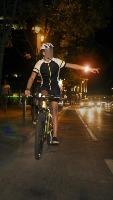
Object Detection
NEEVD
by
NEEVD
3
1.97k images
·
47
bicycle
building
debris
dustbin
motorcycle
scooter
skateboard
stop sign
traffic light
trailer
tree
umbrella
100kph speed limit
100kph speed limit sign
40kph speed limit for trucks and buses sign
40kph speed limit sign
50kph speed limit sign
50mph speed limit sign
60kph speed limit sign
70kph speed limit for all other vehicles sign
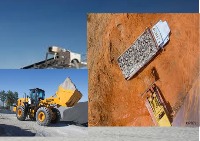
Object Detection
Load Vehicle Detection
by
My Education
335 images
Loaded-Vehicle
Object Detection
OS2
by
screen
160 images
object
Abort the currently running command
Abort the ongoing compilation-
Abort the running command
Accept the current operation
Access context-sensitive help for a specific toolbar icon
Access the Learning section
Activate Audio Track 1 as the target track with a single click
Activate Audio Track 1 for editing
Activate Draw Behind mode
Activate Dynamic Trim Mode
Activate Instant2D mode
Activate Instant3D mode
Activate Quick Access to search for a command
Activate Quick Mask mode
Activate Quick Snaps
Activate Range Selection Mode
Activate Rapid Sketch
Activate Rapid Sketch mode
Activate Rapid Sketch to start a new 2D sketch on the selected face-
Object Detection
Annotations text
by
Ripik
291 images
person
Blue PPE Jacket
Boot
Crane
Gloves
Helmet
Horizontal-Ladle
Hot-Ladle
Loaded-Crane
Orange PPE Jacket
Vehicle
Verticle-Ladle
Welding-Helmet
50 results per page
Showing
1 - 4
of 4
1