WhiteBG Computer Vision Dataset

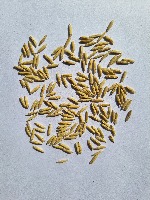

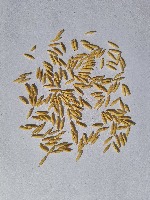

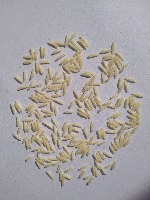

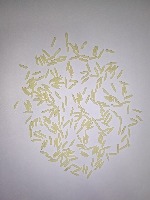



About WhiteBG Dataset
Here are a few use cases for this project:
-
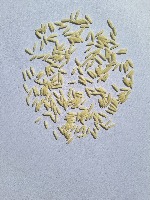
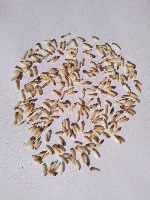
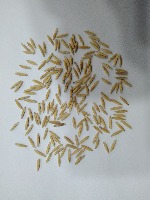
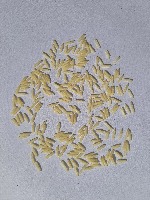
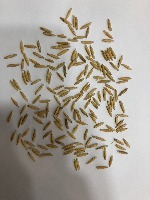
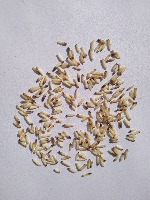
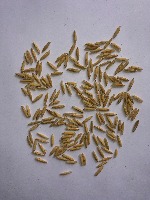
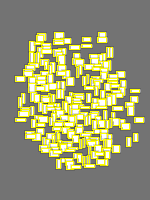
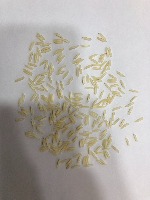
Grain Quality Inspection: The WhiteBG model can be used for grain quality inspection in the agriculture industry. Inspectors can evaluate the quality of rice or other grains by detecting the presence and proportion of various classes like Dehusked, Blacktip, Healthy-1121, and Broken grains on a white background.
-
Food Industry Automation: WhiteBG can be integrated into an automated sorting system in food production facilities to separate and classify grains according to their quality. This would improve efficiency, reduce manual labor costs, and ensure consistent product quality in items like rice cakes, baby food, and other grain-based products.
-
Inventory Management: Businesses can use the WhiteBG model to automate inventory tracking in warehouses and distribution centers for grains. Images captured from grain storage containers with white backgrounds can be analyzed, and the grain types can be categorized, making it easier to manage and maintain accurate inventory levels.
-
Agronomical Research: Researchers can use WhiteBG to study the impact of various agricultural practices on the quality and yield of different grains. By capturing images of grains on a white background, researchers can easily analyze the proportion of Dehusked, Blacktip, Healthy-1121, and Broken grains in their samples, allowing them to make data-driven decisions on crop management practices.
-
Smartphone Applications for Farmers: A mobile app utilizing the WhiteBG model can help farmers assess the quality of their harvested grains in real-time. By simply taking a picture of the grains on a white surface, farmers can receive instant feedback on grain quality, helping them make more informed decisions on storage and marketing strategies.
Use Free Broken, Blacktip and Dehusked Detection API
Powered by general detection model
pip install inference-sdk# 1. Import the library
from inference_sdk import InferenceHTTPClient
# 2. Connect to your workspace
client = InferenceHTTPClient(
api_url="https://serverless.roboflow.com",
api_key="API_KEY"
)
# 3. Run your workflow on an image
result = client.run_workflow(
workspace_name="<YOUR_WORKSPACE>",
workflow_id="<YOUR_WORKFLOW_ID>",
images={
"image": "YOUR_IMAGE.jpg" # Path to your image file
},
parameters={
"classes": "Broken, Blacktip, Dehusked, Healthy-1121"
},
use_cache=True # cache workflow definition for 15 minutes
)
# 4. Get your results
print(result)Run on custom image
Drop an image here or click to upload
Tell the agent what you want to build.
Cite This Project
LicenseCC BY 4.0If you use this dataset in a research paper, please cite it using the following BibTeX:
@misc{ whitebg_dataset,
  title = { WhiteBG Dataset },
  type = { Open Source Dataset },
  author = { Rice },
  howpublished = { \url{ https://universe.roboflow.com/rice-rwmyq/whitebg } },
  url = { https://universe.roboflow.com/rice-rwmyq/whitebg },
  journal = { Roboflow Universe },
  publisher = { Roboflow },
  year = { 2024 },
  month = { feb },
  note = { visited on 2026-07-29 },
}