Drone_View Computer Vision Dataset






About Drone_View Dataset
Here are a few use cases for this project:
-
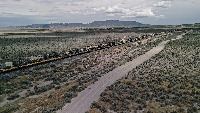
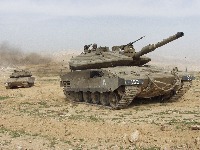
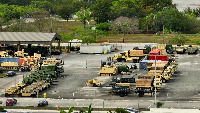
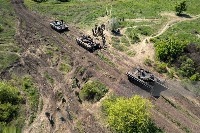
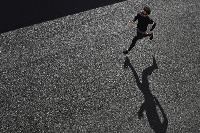
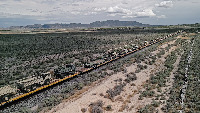
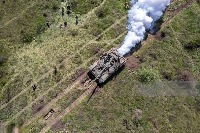
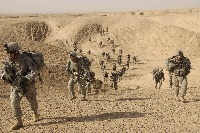
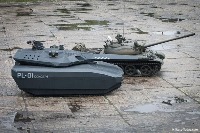
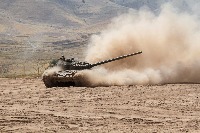
Military Surveillance and Analysis: The Drone_View model can be used by military organizations to automatically identify different objects in drone imagery, allowing for improved situational awareness and decision-making during reconnaissance missions and ensuring safety by promptly detecting potential threats.
-
Humanitarian Relief Operations: Aid organizations can use Drone_View to analyze drone images during natural disasters or crises for efficient management of relief operations. This could involve detecting the presence of civilians, vehicles, and military assets to optimize the deployment of resources, access to affected areas, and evacuation plans.
-
Border Patrol and Security: Drone_View can be deployed for border control and protecting critical infrastructure. The algorithm can detect suspicious activities such as illegal border crossings, smuggling of weapons, or movement of military vehicles, allowing authorities to respond in a timely manner.
-
Damage Assessment and Recovery after Armed Conflicts: Governments and relief organizations can use Drone_View to assess the impact and aftermath of armed conflicts in affected regions by analyzing drone images to identify damaged civilian and military structures, vehicles, and the presence of armed personnel.
-
Training and Simulation: Drone_View can be used in creating realistic training simulations for military and law enforcement personnel. The model can help generate scenes with different levels of complexity and challenges, incorporating various object classes such as soldiers, military vehicles, and firearms, enhancing the overall training effectiveness.
Use Free Pistol, Gun and Person Detection API
Powered by general detection model
pip install inference-sdk# 1. Import the library
from inference_sdk import InferenceHTTPClient
# 2. Connect to your workspace
client = InferenceHTTPClient(
api_url="https://serverless.roboflow.com",
api_key="API_KEY"
)
# 3. Run your workflow on an image
result = client.run_workflow(
workspace_name="<YOUR_WORKSPACE>",
workflow_id="<YOUR_WORKFLOW_ID>",
images={
"image": "YOUR_IMAGE.jpg" # Path to your image file
},
parameters={
"classes": "pistol, gun, person, civilian_vehicle, military_tank"
},
use_cache=True # cache workflow definition for 15 minutes
)
# 4. Get your results
print(result)Run on custom image
Drop an image here or click to upload
Tell the agent what you want to build.
Cite This Project
LicenseCC BY 4.0If you use this dataset in a research paper, please cite it using the following BibTeX:
@misc{ drone_view_dataset,
  title = { Drone_View Dataset },
  type = { Open Source Dataset },
  author = { Rapidev WD },
  howpublished = { \url{ https://universe.roboflow.com/rapidev-wd/drone_view } },
  url = { https://universe.roboflow.com/rapidev-wd/drone_view },
  journal = { Roboflow Universe },
  publisher = { Roboflow },
  year = { 2023 },
  month = { apr },
  note = { visited on 2026-07-29 },
}