Streetlights Detection Computer Vision Model
How to use the Streetlights Detection Detection API
Try This Model
Drop an image here or click to upload
Code Snippets
from inference_sdk import InferenceHTTPClient

CLIENT = InferenceHTTPClient(
    api_url="https://serverless.roboflow.com",
    api_key="API_KEY"
)

result = CLIENT.infer("YOUR_IMAGE.jpg", model_id="streetlights-detection/1")Or, Use Free Curb_cut, Curb_cut and Streetlight Detection API
Powered by general detection model
pip install inference-sdk# 1. Import the library
from inference_sdk import InferenceHTTPClient
# 2. Connect to your workspace
client = InferenceHTTPClient(
api_url="https://serverless.roboflow.com",
api_key="API_KEY"
)
# 3. Run your workflow on an image
result = client.run_workflow(
workspace_name="<YOUR_WORKSPACE>",
workflow_id="<YOUR_WORKFLOW_ID>",
images={
"image": "YOUR_IMAGE.jpg" # Path to your image file
},
parameters={
"classes": "curb_cut, Curb_cut, Streetlight, Streetlights 1, Streetlights 6"
},
use_cache=True # cache workflow definition for 15 minutes
)
# 4. Get your results
print(result)Run on custom image
Drop an image here or click to upload

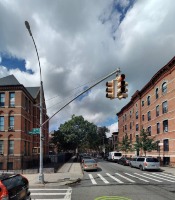

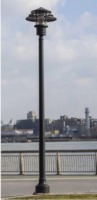

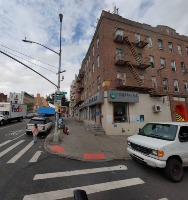

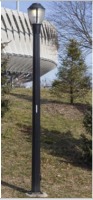







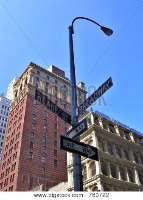
About Streetlights Detection Model
readme with project details and resources.
Some helpful things you should add are:
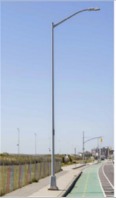
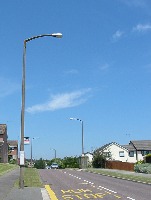
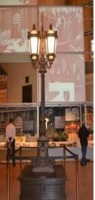
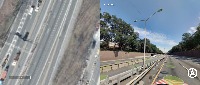
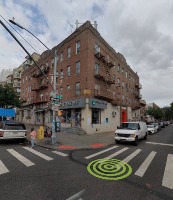
A project overview The DOT and the Asset Management Department wants to collect assets, such as stops signs, curb cuts, street lights, etc and their exact coordinates to create a thorough database of these assets. The data scientists and engineers will create these databases and servers for a multitude of uses, whether that be adding more assets or knowing which assets need improvement.
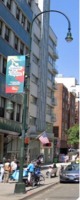
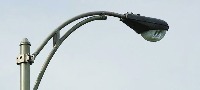
Descriptions of each class type Classes : Streetlight, curbcut
Current status Current status: Task 1 Data collection & annotating (streetlights, curbcuts)
**Timeline**
	Task 2 : Create Dataset
	Task 3: Select a Model
	Task 4: Train
	Task 5: Visualize

	Using LiDAR -> point cloud

	Next Steps
Once your model is trained you can use your best checkpoint best.pt to:
- Run CLI or Python inference on new images and videos
- Validate accuracy on train, val and test splits
- Export to TensorFlow, Keras, ONNX, TFlite, TF.js, CoreML and TensorRT formats
- Evolve hyperparameters to improve performance
- Improve your model by sampling real-world images and adding them to your dataset
Tell the agent what you want to build.
Cite This Project
LicenseCC BY 4.0If you use this dataset in a research paper, please cite it using the following BibTeX:
@misc{ streetlights-detection_dataset,
  title = { Streetlights Detection Dataset },
  type = { Open Source Dataset },
  author = { NN },
  howpublished = { \url{ https://universe.roboflow.com/nn/streetlights-detection } },
  url = { https://universe.roboflow.com/nn/streetlights-detection },
  journal = { Roboflow Universe },
  publisher = { Roboflow },
  year = { 2022 },
  month = { apr },
  note = { visited on 2026-07-29 },
}