DPI_detection Computer Vision Dataset













About DPI_detection Dataset
Here are a few use cases for this project:
-
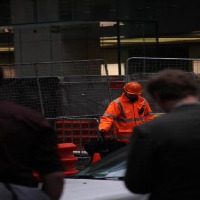
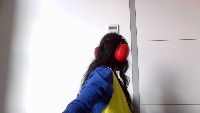
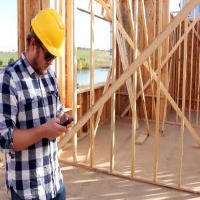
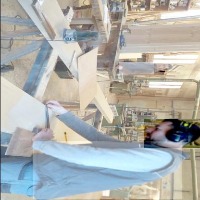
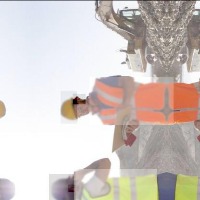
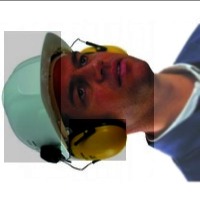
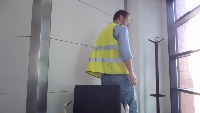
Workplace Safety Compliance Monitoring: The DPI_detection model can be integrated into video surveillance systems at workplaces such as construction sites, factories, or laboratories to monitor employees and ensure they are wearing appropriate personal protective equipment (PPE) like helmets, safety vests, ear protection, and goggles. This would help prevent accidents and injuries, ensuring a safer work environment.
-
Smart Access Control Systems: This computer vision model can be used to build access control systems at sites where the correct PPE is mandatory. The model can identify if an individual is wearing the required PPE before granting entry, preventing unauthorized or improperly equipped personnel from reaching high-risk areas.
-
PPE Training and Assessment: DPI_detection can be used to create interactive training modules and assessment tools for PPE education initiatives. The model can provide instant feedback to trainees on their PPE usage, helping them understand the importance of wearing necessary equipment and how to use it properly.
-
Augmented Reality Assistance: The model can be incorporated into an augmented reality (AR) system, providing real-time guidance for users on their PPE usage. For instance, an AR helmet could overlay visual cues about the correct PPE to wear in specific work zones, reinforcing safe practices and improving overall workplace safety.
-
PPE Inventory Management: By identifying various DPI classes, DPI_detection can be used in conjunction with RFID or other tracking technologies to help manage the inventory of PPE. This would assist in real-time monitoring of equipment availability, ensuring that employees always have access to the required PPE and enabling quick replenishment when necessary.
Use Free Caschetto, Cuffie and Gilet Detection API
Powered by general detection model
pip install inference-sdk# 1. Import the library
from inference_sdk import InferenceHTTPClient
# 2. Connect to your workspace
client = InferenceHTTPClient(
api_url="https://serverless.roboflow.com",
api_key="API_KEY"
)
# 3. Run your workflow on an image
result = client.run_workflow(
workspace_name="<YOUR_WORKSPACE>",
workflow_id="<YOUR_WORKFLOW_ID>",
images={
"image": "YOUR_IMAGE.jpg" # Path to your image file
},
parameters={
"classes": "Caschetto, Cuffie, Gilet, No Caschetto, No Cuffie"
},
use_cache=True # cache workflow definition for 15 minutes
)
# 4. Get your results
print(result)Run on custom image
Drop an image here or click to upload
Tell the agent what you want to build.
Cite This Project
LicenseCC BY 4.0If you use this dataset in a research paper, please cite it using the following BibTeX:
@misc{ dpi_detection_dataset,
  title = { DPI_detection Dataset },
  type = { Open Source Dataset },
  author = { Nadia },
  howpublished = { \url{ https://universe.roboflow.com/nadia-modmb/dpi_detection } },
  url = { https://universe.roboflow.com/nadia-modmb/dpi_detection },
  journal = { Roboflow Universe },
  publisher = { Roboflow },
  year = { 2023 },
  month = { may },
  note = { visited on 2026-07-29 },
}