leopard_h_f Computer Vision Dataset








About leopard_h_f Dataset
Here are a few use cases for this project:
Use Case 1: Wildlife Conservation and Research
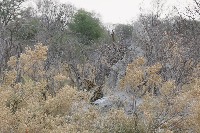
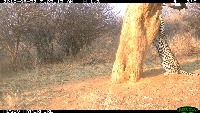
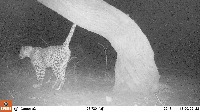
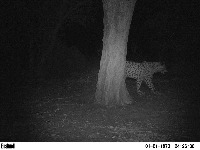
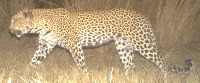
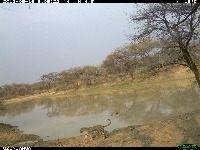
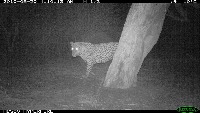
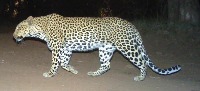
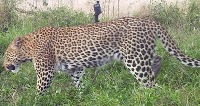
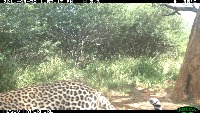
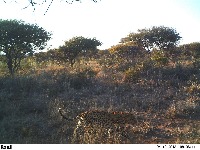
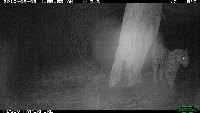
- Researchers and wildlife conservationists can use the "leopard_h_f" model to automatically identify leopard presence and body parts in camera trap images. This will enable them to understand leopard behaviors, track populations, and monitor their habitats more efficiently.
Use Case 2: Automated Wildlife-themed Content Curation
- The model can be used by content creators and curators for social media, magazines, and websites to automatically sort, tag, and categorize images of leopards for easy organization and retrieval. This will expedite the content curation process and ensure that the right images are picked for the intended purpose.
Use Case 3: Enhancing Zoo and Wildlife Park Experiences
- The "leopard_h_f" model can be used by zoos and wildlife parks to provide an enhanced guest experience through interactive displays and smart-guided tours. The visitors' photographs and videos can be analyzed in real-time to highlight and provide information about the leopards present in the images, adding an educational aspect to the experience.
Use Case 4: Assisting in Wildlife Filming Projects
- The model can be used by wildlife filmmakers and photographers for assistance in spotting leopards and their body parts during image and video reviews. This can help them in quickly selecting the desired visuals for their creative projects or documentaries aimed at raising awareness about this elusive and endangered species.
Use Case 5: Smart Anti-Poaching Systems
- The "leopard_h_f" model can be employed in the development of smart anti-poaching systems that use surveillance cameras to automatically detect the presence of leopards in protected areas. In case the system spots unwanted activities or potential threats, such as those from poachers, immediate alerts can be generated and sent to relevant authorities for timely intervention.
Use Free Head, Leopard and ' Detection API
Powered by general detection model
Code
pip install inference-sdk# 1. Import the library
from inference_sdk import InferenceHTTPClient
# 2. Connect to your workspace
client = InferenceHTTPClient(
api_url="https://serverless.roboflow.com",
api_key="API_KEY"
)
# 3. Run your workflow on an image
result = client.run_workflow(
workspace_name="<YOUR_WORKSPACE>",
workflow_id="<YOUR_WORKFLOW_ID>",
images={
"image": "YOUR_IMAGE.jpg" # Path to your image file
},
parameters={
"classes": "head, leopard, ', `, flank"
},
use_cache=True # cache workflow definition for 15 minutes
)
# 4. Get your results
print(result)Run on custom image
Drop an image here or click to upload
Detecting classes:
Or try a test image
Roboflow Agent
Tell the agent what you want to build.
Cite This Project
LicenseCC BY 4.0If you use this dataset in a research paper, please cite it using the following BibTeX:
@misc{ leopard_h_f_dataset,
  title = { leopard_h_f Dataset },
  type = { Open Source Dataset },
  author = { Leopard ID },
  howpublished = { \url{ https://universe.roboflow.com/leopard-id/leopard_h_f } },
  url = { https://universe.roboflow.com/leopard-id/leopard_h_f },
  journal = { Roboflow Universe },
  publisher = { Roboflow },
  year = { 2022 },
  month = { jul },
  note = { visited on 2026-07-29 },
}