heart-net Computer Vision Dataset

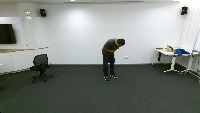

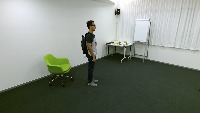

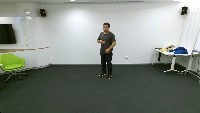
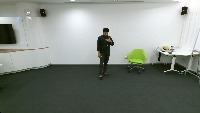

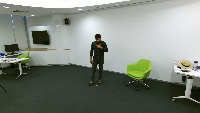

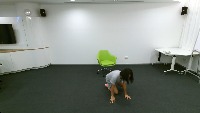




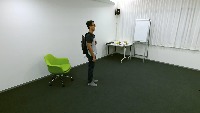

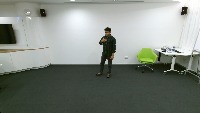
About heart-net Dataset
Here are a few use cases for this project:
-
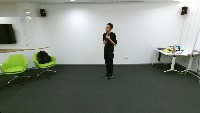
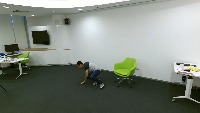
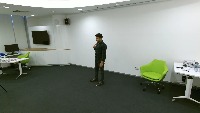
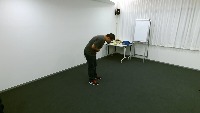
Remote Health Monitoring: Heart-net can be used for continuous remote monitoring of elderly or chronically ill patients in their homes. By detecting signs of chest pain or partial falls, caregivers can be alerted to possible health concerns and intervene promptly when required.
-
Elderly Care Facilities: In assisted living facilities or nursing homes, Heart-net can help monitor and detect episodes of chest pain or partial falls among residents. This enables the staff to provide timely assistance and potentially reduce the risk of more severe accidents, such as complete falls or worsening health conditions.
-
Rehabilitation and Physical Therapy: Heart-net can be used by physical therapists and rehabilitation centers to monitor the progress of patients recovering from injuries or surgeries. By identifying instances of chest pain or partial falls during therapy sessions, therapists can quickly assess the patient's progress and adjust the treatment plan accordingly.
-
Emergency Response Training: Heart-net can be implemented in emergency response simulations or training sessions for paramedics, firefighters, or other first responders. Identifying potential chest pain or partial fall victims during simulations can help train responders to effectively prioritize their actions and improve their overall response time in real-life situations.
-
Workplace Safety: Heart-net can be employed in various workplaces, such as manufacturing units or construction sites, to monitor employees for signs of chest pain or partial falls. Quick detection of these issues could help prevent potential accidents, reduce lost work time, and lead to more targeted workplace safety strategies.
Use Free Chest-pain and Partial-fall Detection API
Powered by general detection model
pip install inference-sdk# 1. Import the library
from inference_sdk import InferenceHTTPClient
# 2. Connect to your workspace
client = InferenceHTTPClient(
api_url="https://serverless.roboflow.com",
api_key="API_KEY"
)
# 3. Run your workflow on an image
result = client.run_workflow(
workspace_name="<YOUR_WORKSPACE>",
workflow_id="<YOUR_WORKFLOW_ID>",
images={
"image": "YOUR_IMAGE.jpg" # Path to your image file
},
parameters={
"classes": "chest-pain, partial-fall"
},
use_cache=True # cache workflow definition for 15 minutes
)
# 4. Get your results
print(result)Run on custom image
Drop an image here or click to upload
Tell the agent what you want to build.
Cite This Project
LicenseCC BY 4.0If you use this dataset in a research paper, please cite it using the following BibTeX:
@misc{ heart-net_dataset,
  title = { heart-net Dataset },
  type = { Open Source Dataset },
  author = { Cranfield  AAI },
  howpublished = { \url{ https://universe.roboflow.com/cranfield-aai/heart-net } },
  url = { https://universe.roboflow.com/cranfield-aai/heart-net },
  journal = { Roboflow Universe },
  publisher = { Roboflow },
  year = { 2022 },
  month = { mar },
  note = { visited on 2026-07-29 },
}